Showing posts with label JC. Show all posts

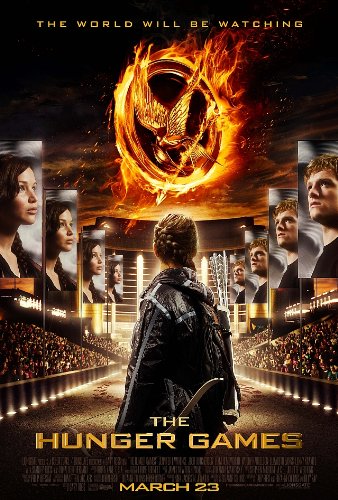
Movie Poster by JC Espiritu


     This is my GCT Movie Poster. I chose to do the Hunger Games and add a little Sargent Park touch. The hardest part was trying to make the flame and the ring look real. I tried to change the layer settings by adding a bevel and a glow but it still doesn't look real and still looks cartoon to me. The easiest part was playing around with the brushes and making cool textures by changes the opacity of the brush and the color. During this project I learned, not only how to use Photoshop Elements but also the amazing editing capabilities it has that make an image close to how you imagined it.


December Instagram Project


     This December we had to take photos of things that look like letters and actual letters. the purpose of this project is to learn to notice how daily things can look like interesting letters. 


Christmas Stop Motion by Vincent Maula and John Carlo Espiritu


Vincent and JC's Stop Motion from vincent maula on Vimeo.

     For this project we created a stop motion video. What we did good on was the choreography. We organized the parts in videos so that is tells a clear story. Our story was based on Christmas and the tradition of setting out cookies and milk for Santa enjoy. We could improve on being mores prepared. We didn't have a tripod at the time because we worked on it at home. We learned that stop motion requires many pictures in which the objects have to be moved slightly every picture to produce the visual of an inanimate object moving on its own, but you can also incorporate normal video to create a difference between the scenes. We also learned how to use the Movie Maker Program. We learned how to increase or decrease the amount of time the picture was shown. This was the key to making the video possible. We had few difficulties throughout this process. Only when we were finished did we have trouble.


Photoshop Assignment - Poly Art


http://graphicdesignjunction.com/wp-content/uploads/2014/05/low-poly-illustration-photoshop-tutorials-4.jpg


     The Photoshop assignment I chose to do for term 2 is called Poly Art. For this assignment I decided to do a Poly Art of myself. To do this I had to insert a photo of myself to use as an outline then I used the Polygonal Lasso Tool to make shapes based on different shades and colours of my photo. To find the colour for the shapes I used the Colour Picker Tool to take a sample and then used the Paint Bucket Tool to add the colour. 


Original Image


JC's October Photo of the day

Displaying FullSizeRender.jpg

     This project is about understanding camera angles and meanings in everyday pictures. For this assignment we took pictures of 31 that have to do with the Oct words. We learned a picture can be worth many things and not just a good post. I learned how to take photos from the right angle and positioning to make good pictures. It has also taught me how to choose which photo best fits the Oct words.


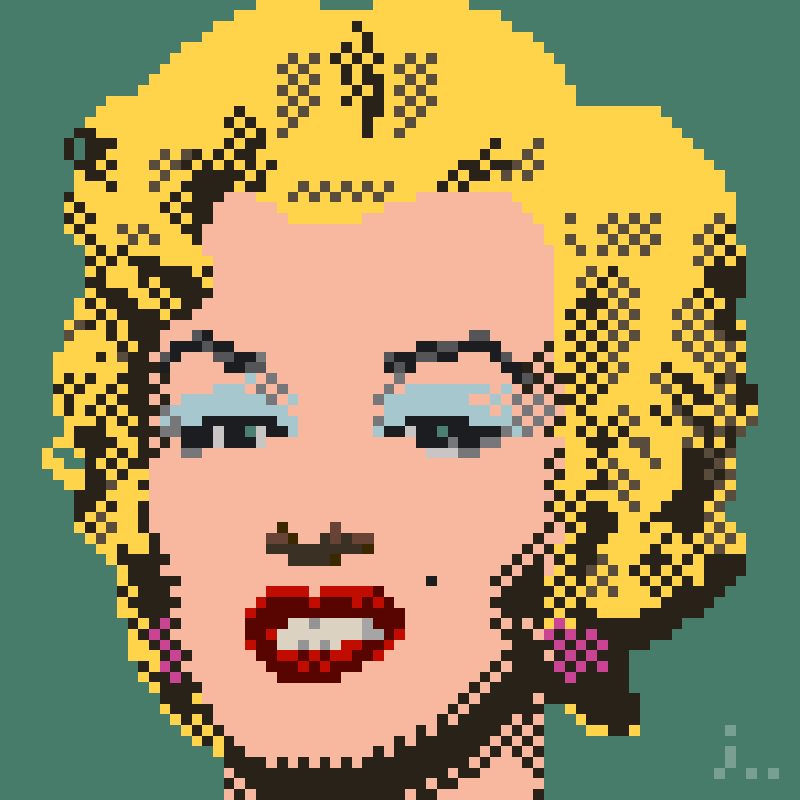
JC's Andy Warhol Pop Art

http://orig11.deviantart.net/1a11/f/2012/122/9/2/pixel_art__masterpiece_series__by_joojaebum-d4yd9l1.jpg

     This project is about understanding Andy Warhol's Pop art. To show this we made a Pop art about ourselves. We have 1 photo and we changed the coloration of it so it has 4 different colors and we did this 4 times. We then have to put 2 or more different types of filters to make it look Cartoon like. I also learned how to use different colors that have nice contrast together. 


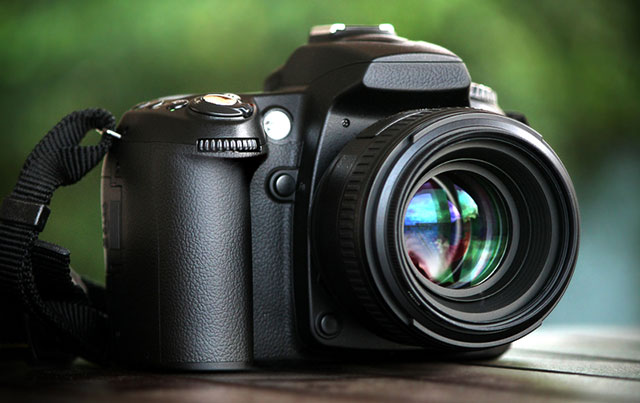
Getting To Know My DSLR


https://upload.wikimedia.org/wikipedia/commons/6/60/Canon_EOS_70D_(camera_body_front_view).jpg 

     This project is about understanding our camera's a bit more. We defined the different settings of a camera for different shots. We found out when to use these settings and how. We also looked at different parts of the camera and understand what they do. I learned how to use A Aperture mode to adjust the focus of a picture to make an object the main focus of the viewer.


JC's Shots and Angles 2016


http://www.slrphotographyguide.com/images/dslr-camera.jpg
 
     This project is about learning and understanding the many angles a photo can be taken in. It is also understanding how they effect the meaning of a photo or how people look at it. This project thought me 15 different shots and angles. I learned how to take good POVs for my Oct photo of the day because of knowing what angles to use.